Setup
Get your keys from the Langfuse dashboard → Settings → API Keys.
export LANGFUSE_PUBLIC_KEY=pk-lf-...
export LANGFUSE_SECRET_KEY=sk-lf-...
Install the optional dependencies:uv pip install "upsonic[langfuse]"
# pip install "upsonic[langfuse]"
Usage with Agent / Task
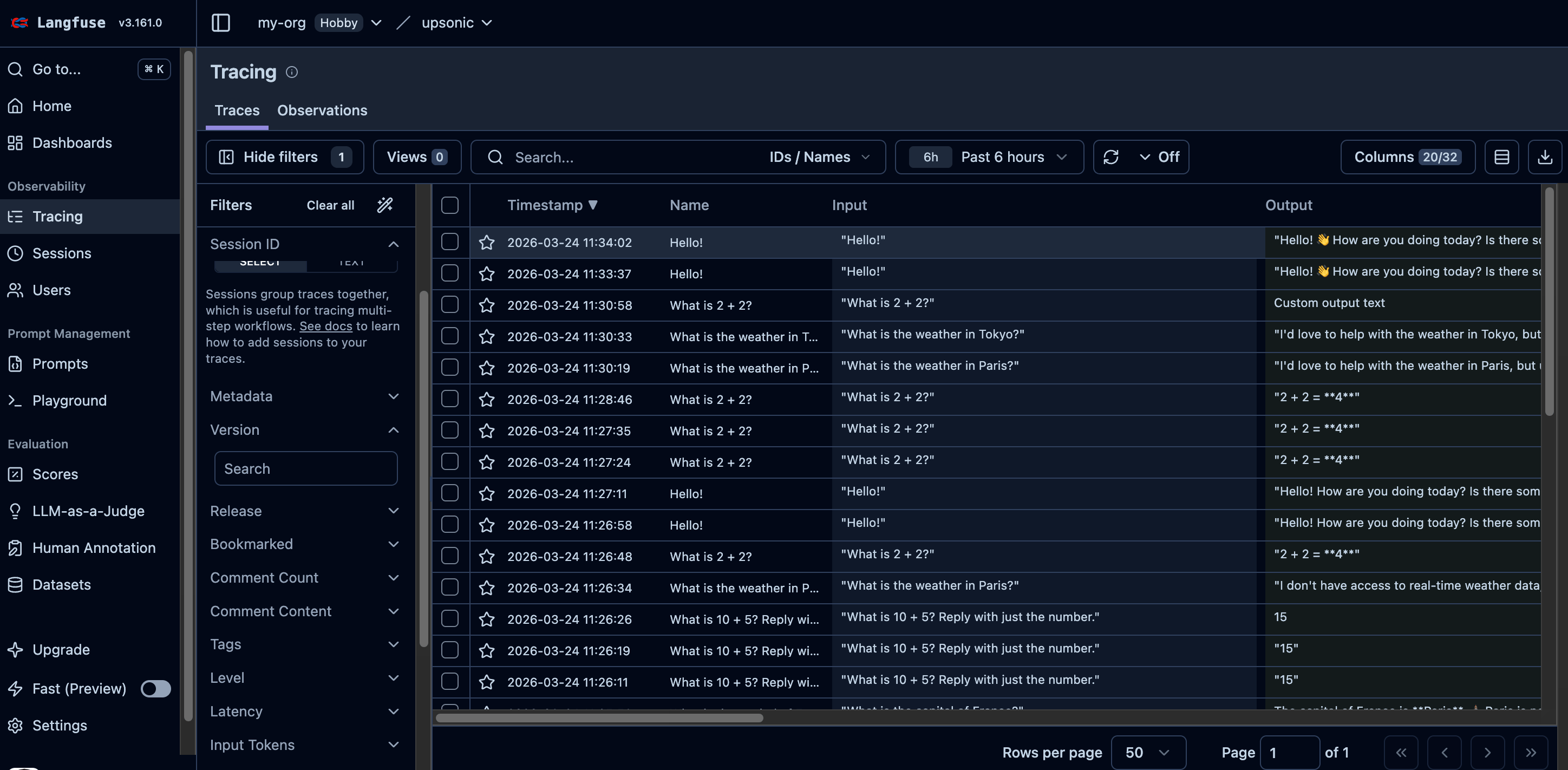
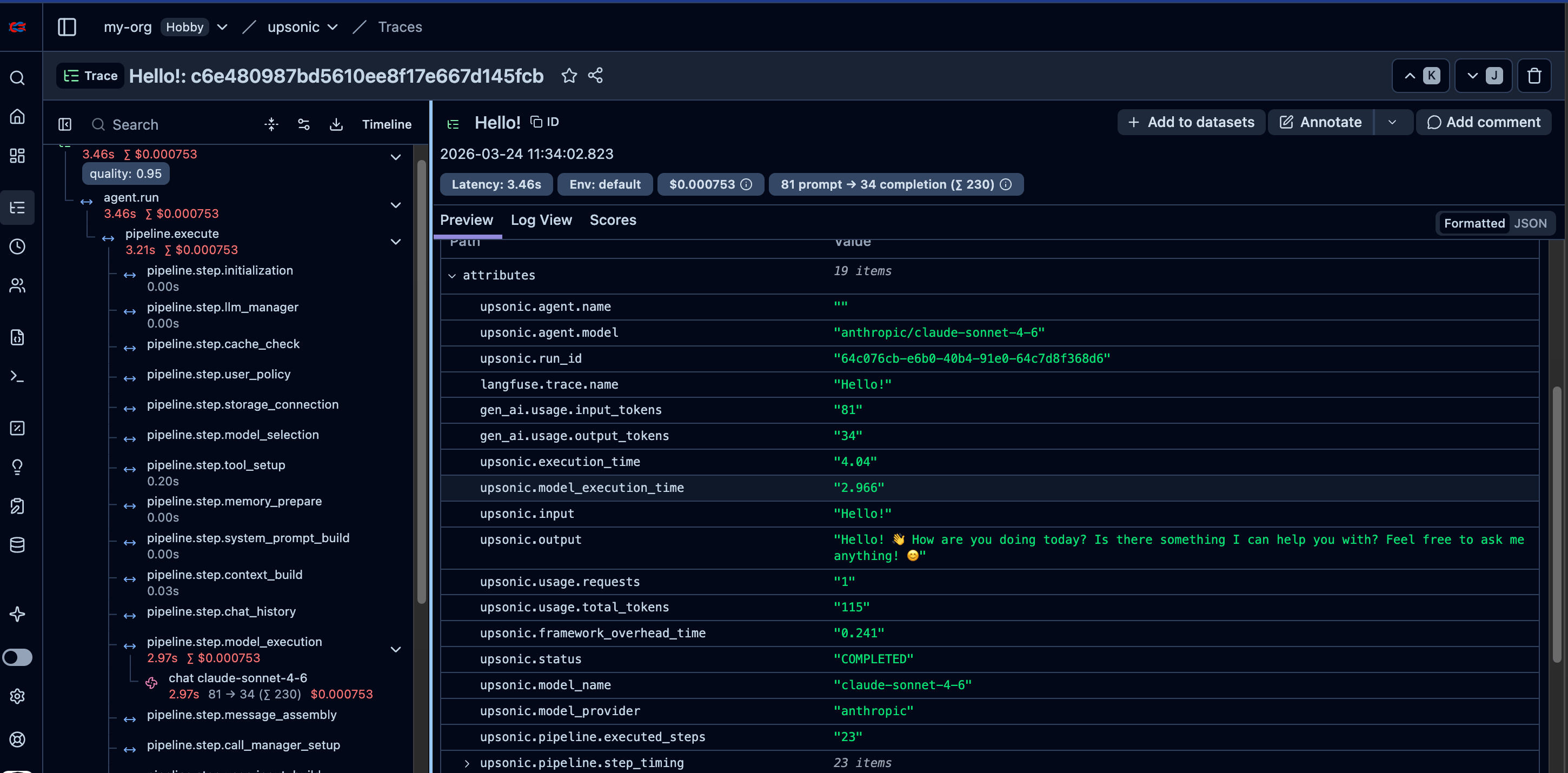
Every agent.do() or agent.print_do() (including async versions) call is automatically traced to Langfuse when you pass instrument=langfuse.
Minimal — Keys from Environment
from upsonic import Agent, Task
from upsonic.integrations.langfuse import Langfuse
langfuse = Langfuse()
agent = Agent("anthropic/claude-sonnet-4-6", instrument=langfuse)
task = Task(description="What is 2 + 2?")
agent.print_do(task)
langfuse.shutdown()
from upsonic import AutonomousAgent, Task
from upsonic.integrations.langfuse import Langfuse
langfuse = Langfuse()
agent = AutonomousAgent("anthropic/claude-sonnet-4-6", instrument=langfuse)
task = Task(description="What is 2 + 2?")
agent.print_do(task)
langfuse.shutdown()
Full Configuration with Session & User Tracking
from upsonic import Agent, Task
from upsonic.integrations.langfuse import Langfuse
from upsonic.tools import tool
@tool
def get_weather(city: str) -> str:
"""Get the current weather for a city."""
return f"Sunny in {city}, 22°C"
langfuse = Langfuse(
public_key="pk-lf-abc123",
secret_key="sk-lf-xyz789",
region="us", # "eu" (default) or "us"
service_name="my-agent",
include_content=True, # include prompts/responses (default)
)
agent = Agent(
"anthropic/claude-sonnet-4-6",
instrument=langfuse,
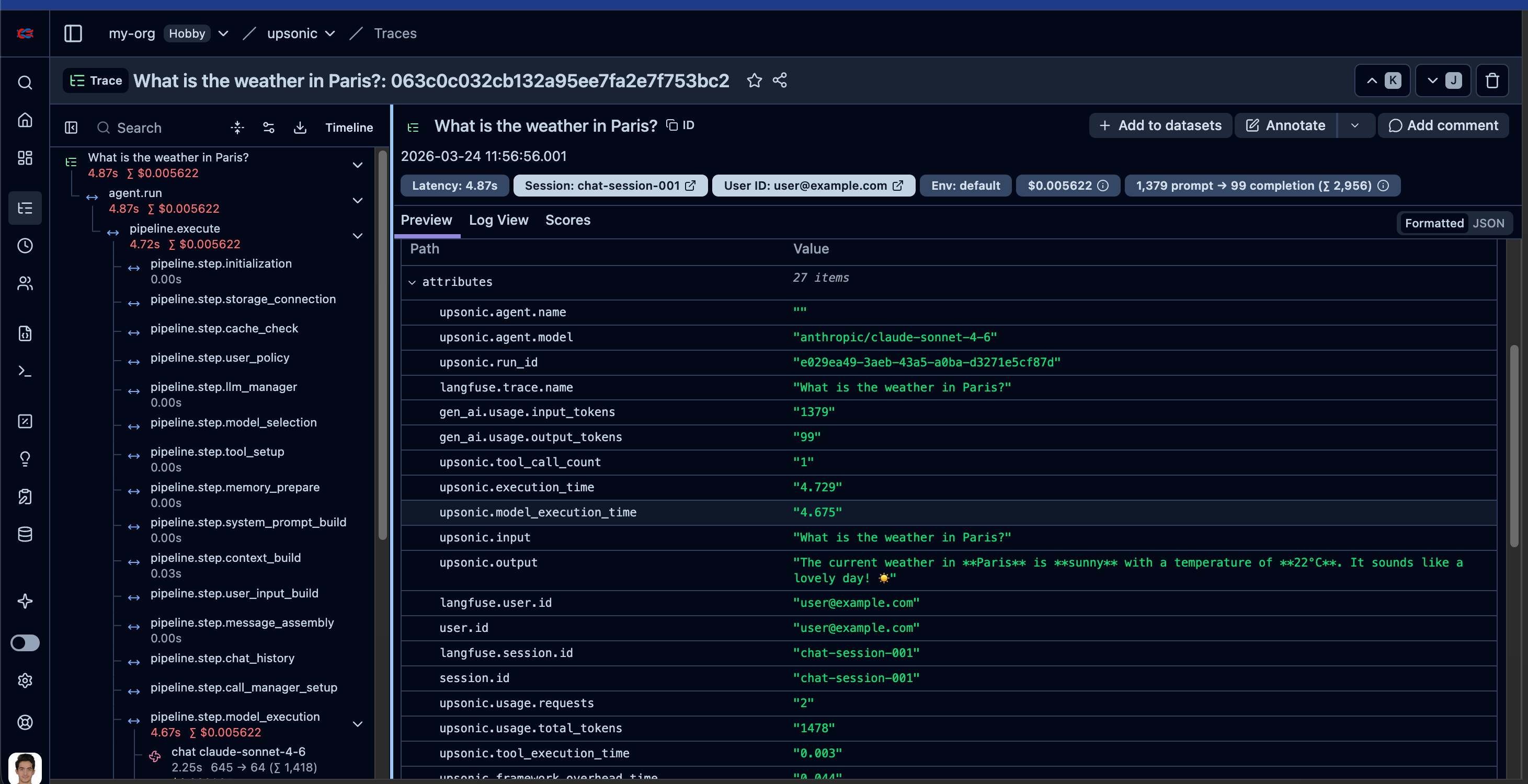
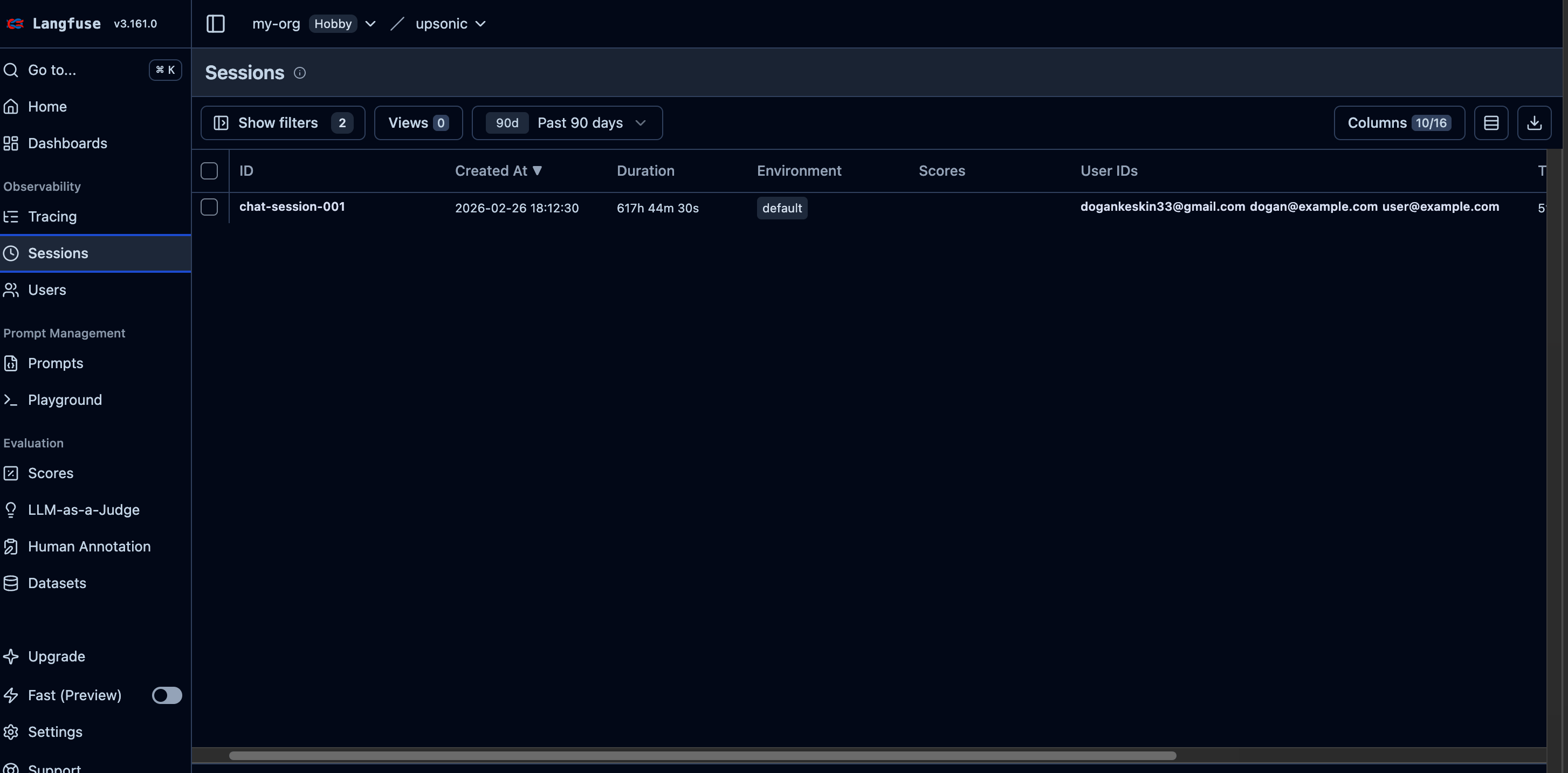
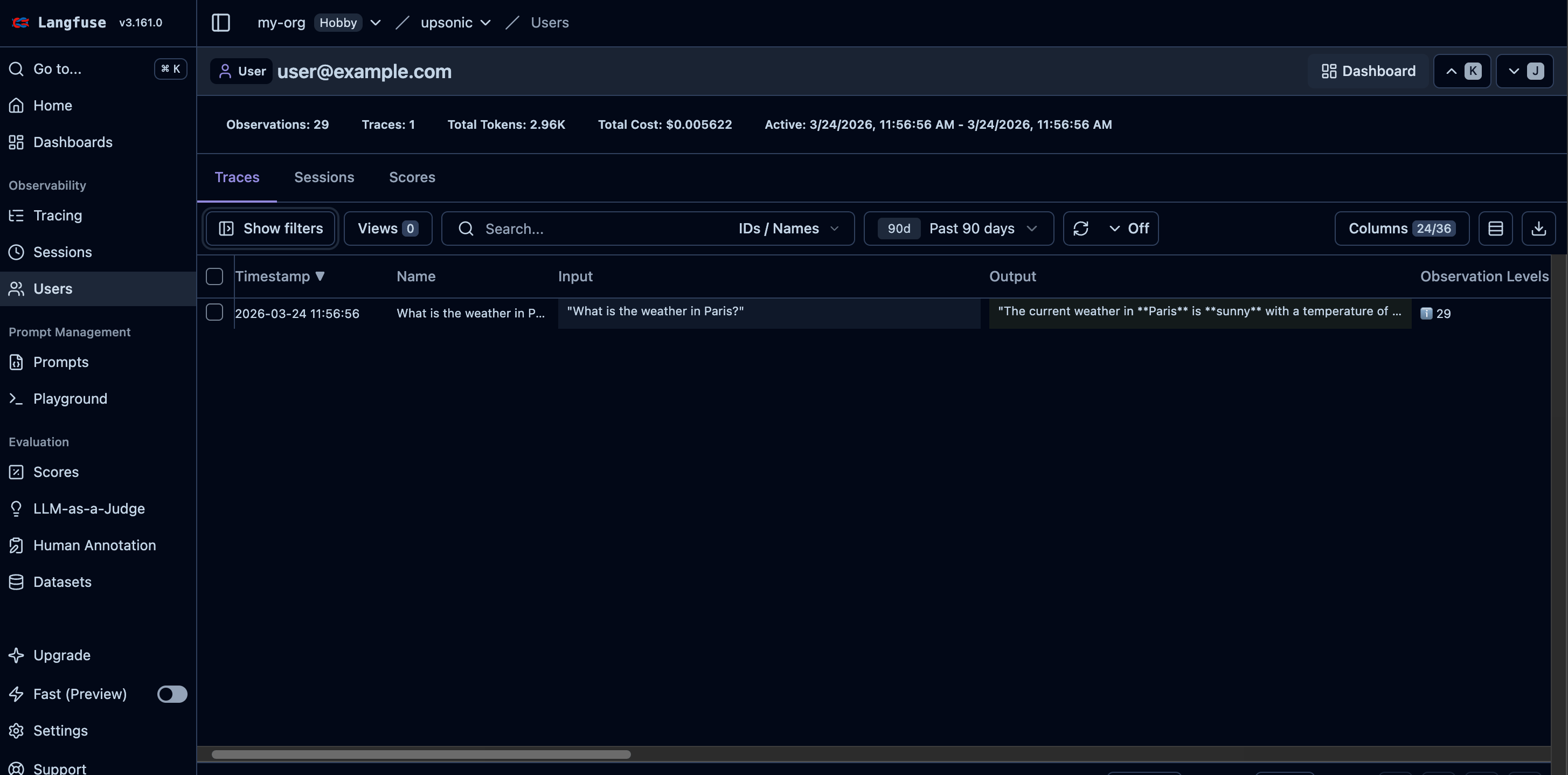
session_id="chat-session-001",
user_id="user@example.com",
tools=[get_weather],
)
task = Task(description="What is the weather in Paris?")
agent.print_do(task)
langfuse.shutdown()
from upsonic import AutonomousAgent, Task
from upsonic.integrations.langfuse import Langfuse
from upsonic.tools import tool
@tool
def get_weather(city: str) -> str:
"""Get the current weather for a city."""
return f"Sunny in {city}, 22°C"
langfuse = Langfuse(
public_key="pk-lf-abc123",
secret_key="sk-lf-xyz789",
region="us", # "eu" (default) or "us"
service_name="my-agent",
include_content=True, # include prompts/responses (default)
)
agent = AutonomousAgent(
"anthropic/claude-sonnet-4-6",
instrument=langfuse,
session_id="chat-session-001",
user_id="user@example.com",
tools=[get_weather],
)
task = Task(description="What is the weather in Paris?")
agent.print_do(task)
langfuse.shutdown()
Autonomous Agent Example
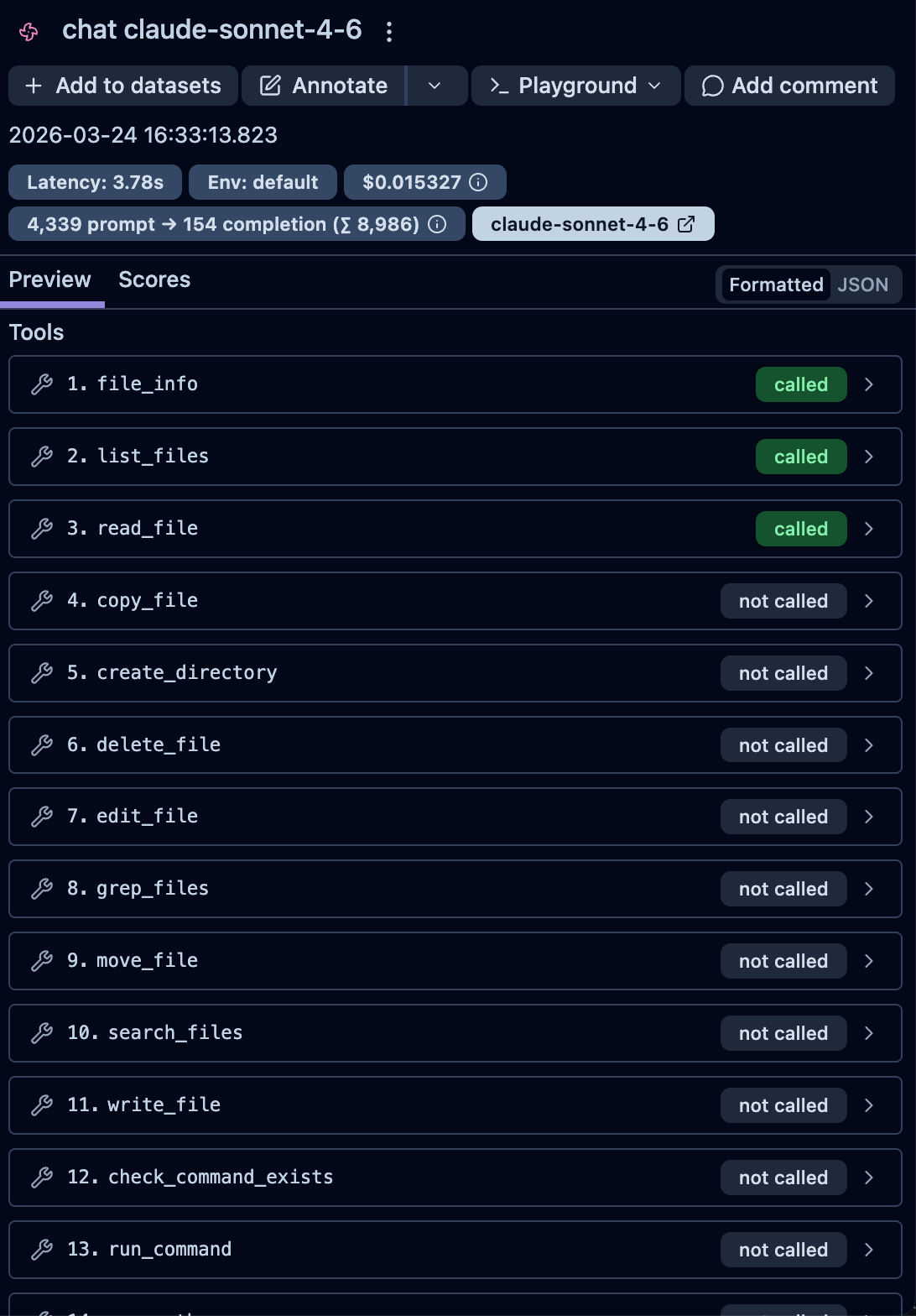
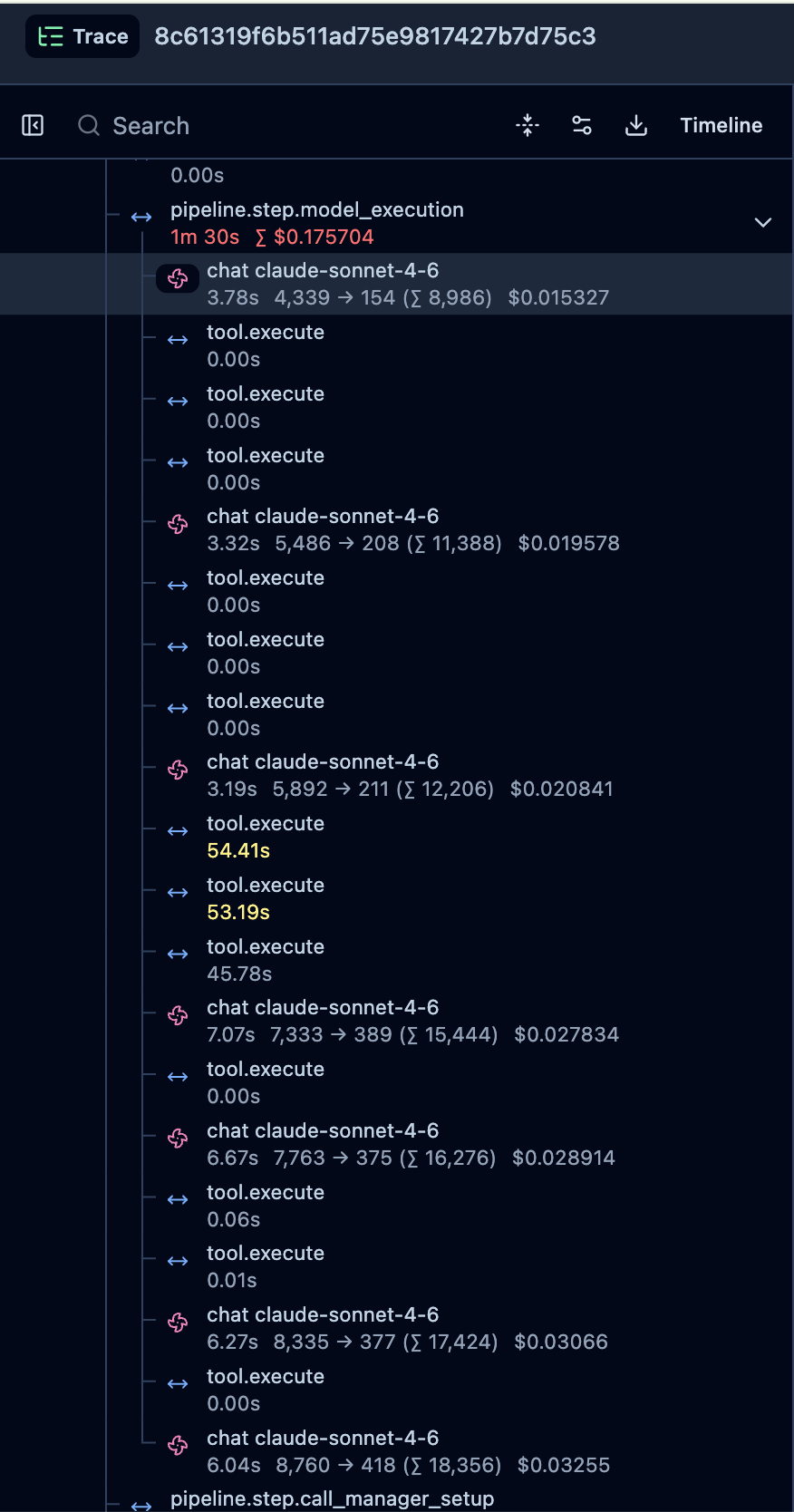
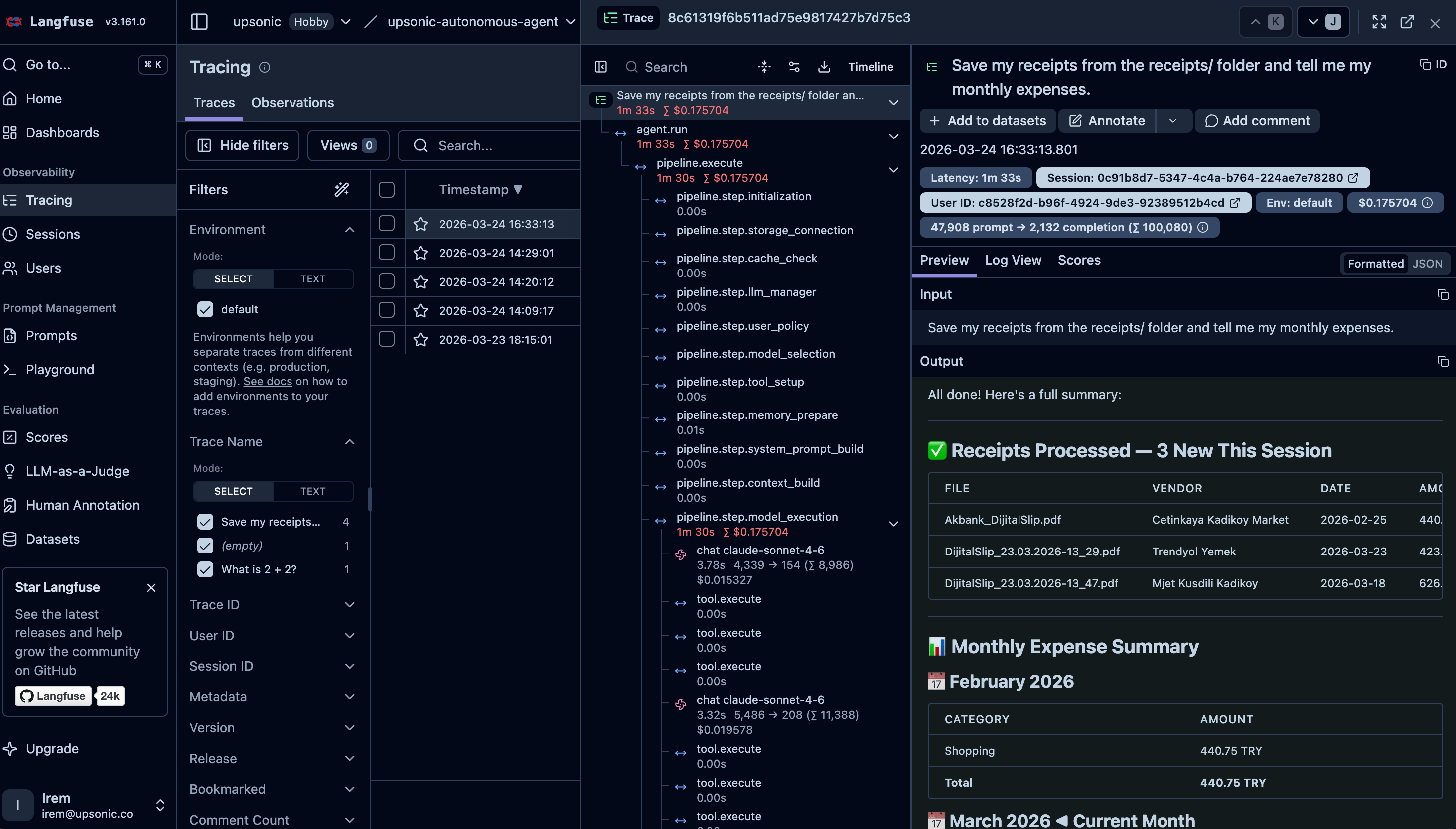
Autonomous agents make their own decisions about which tools to call and in what order — there is no predefined workflow. This makes tracing especially important: you need full visibility into every decision the agent made, which tools it invoked, and what results it got back. Langfuse gives you that observability out of the box.
Here is a real-world example — an expense tracker bot that reads receipt images autonomously:
"""
Receipt Tracker — Autonomous Agent Example
Drop receipt images (PNG, JPG) or PDFs into workspace/receipts/ and run this script.
The agent reads each receipt, extracts the expense details, logs them, and reports
your monthly spending summary.
"""
import os
from dotenv import load_dotenv
from upsonic import AutonomousAgent, Task
from upsonic.integrations.langfuse import Langfuse
langfuse = Langfuse()
from tools import ocr_extract_text
load_dotenv()
agent = AutonomousAgent(
model="anthropic/claude-sonnet-4-6",
tools=[ocr_extract_text],
workspace=os.path.join(os.path.dirname(__file__), "workspace"),
instrument=langfuse,
)
task = Task("Save my receipts from the receipts/ folder and tell me my monthly expenses. DO NOT USE run_python to execute any code. COMMAND! USE BOTH read_file AND ocr_extract_text TOOLS!")
if __name__ == "__main__":
agent.print_do(task)
langfuse.shutdown()
If you want to see the full project with OCR tools, workspace setup, and sample receipts, check out the complete example: Expense Tracker Bot.
Usage with Evaluation
What is AccuracyEvaluator?
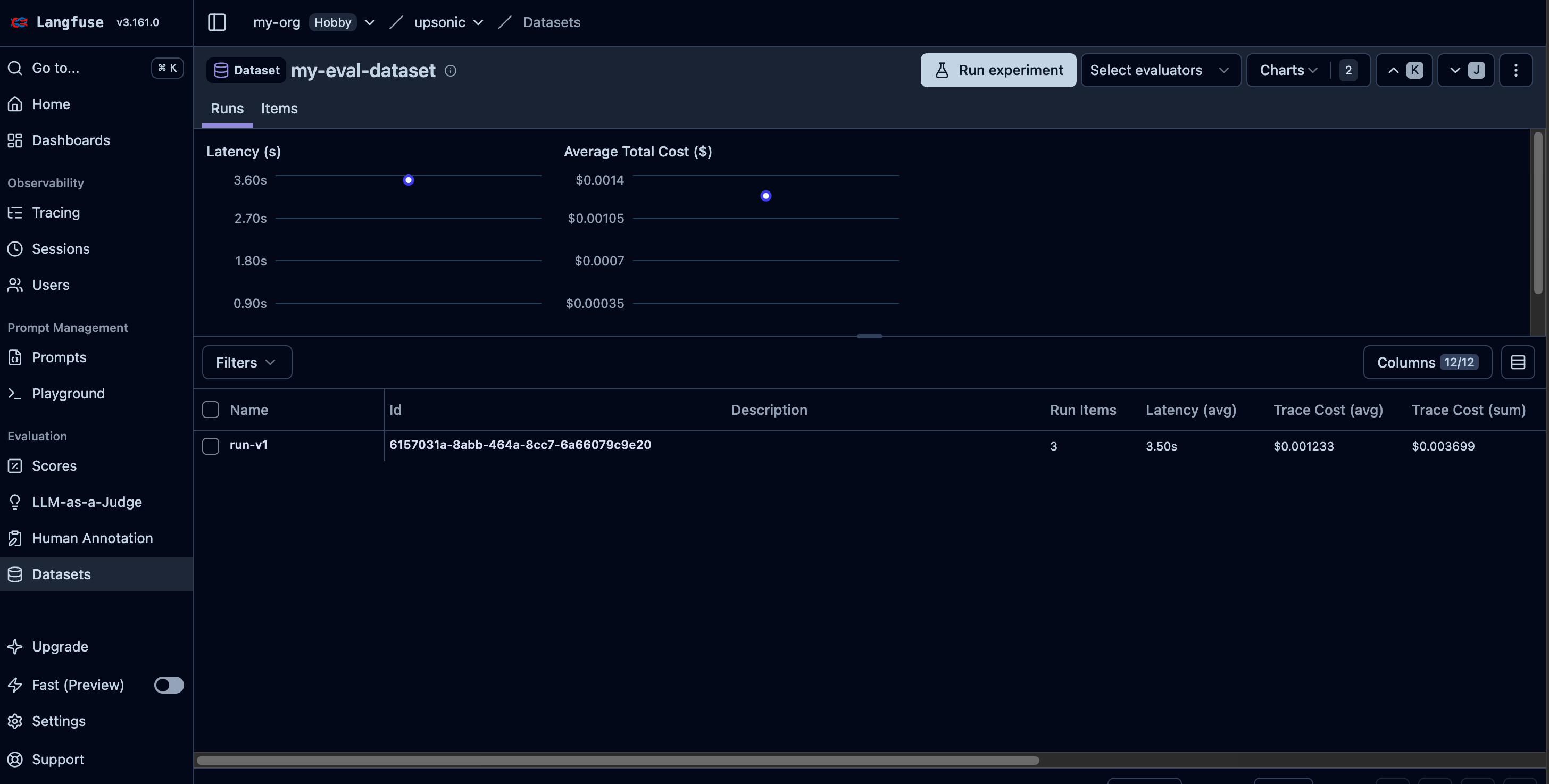
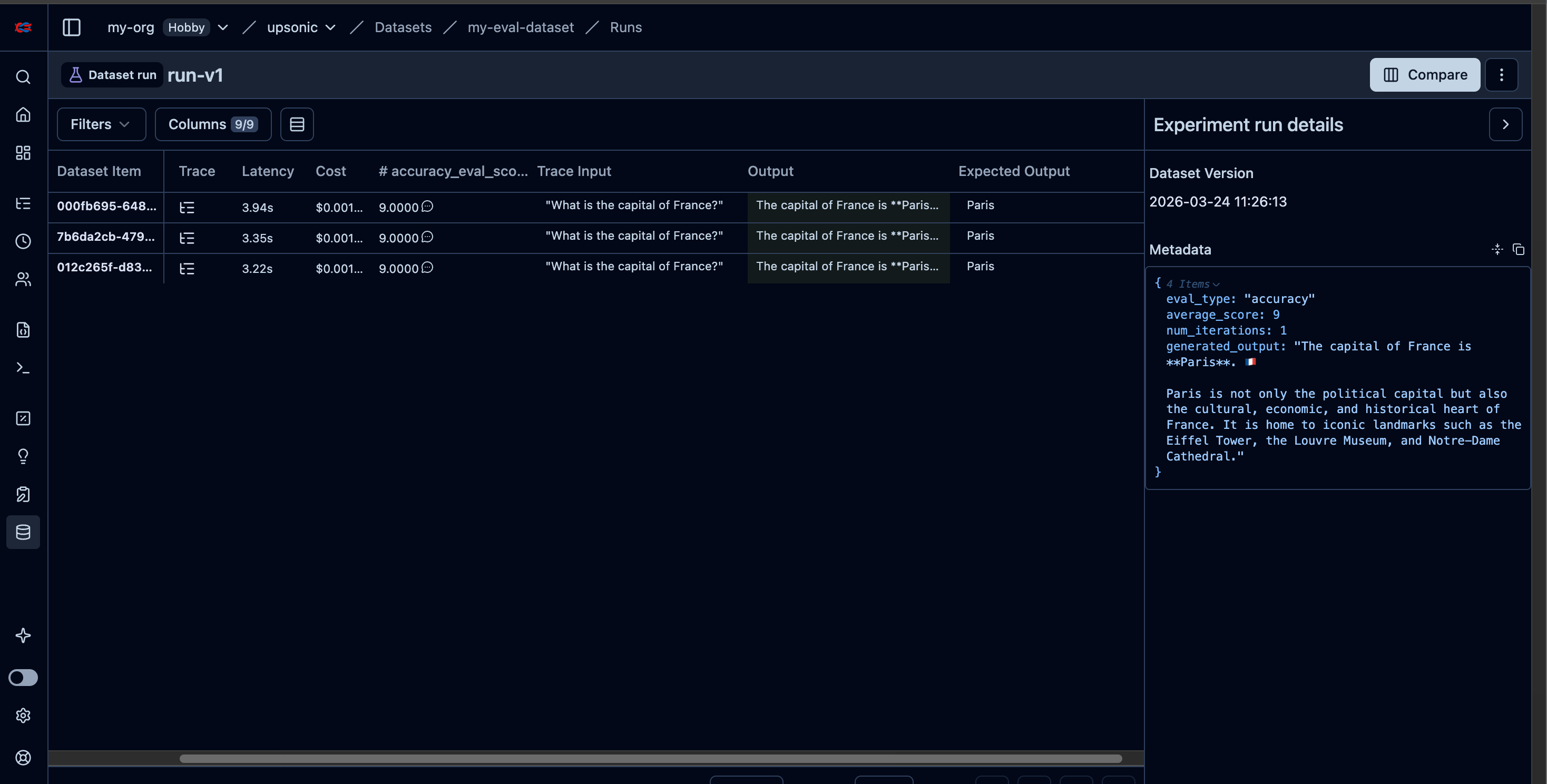
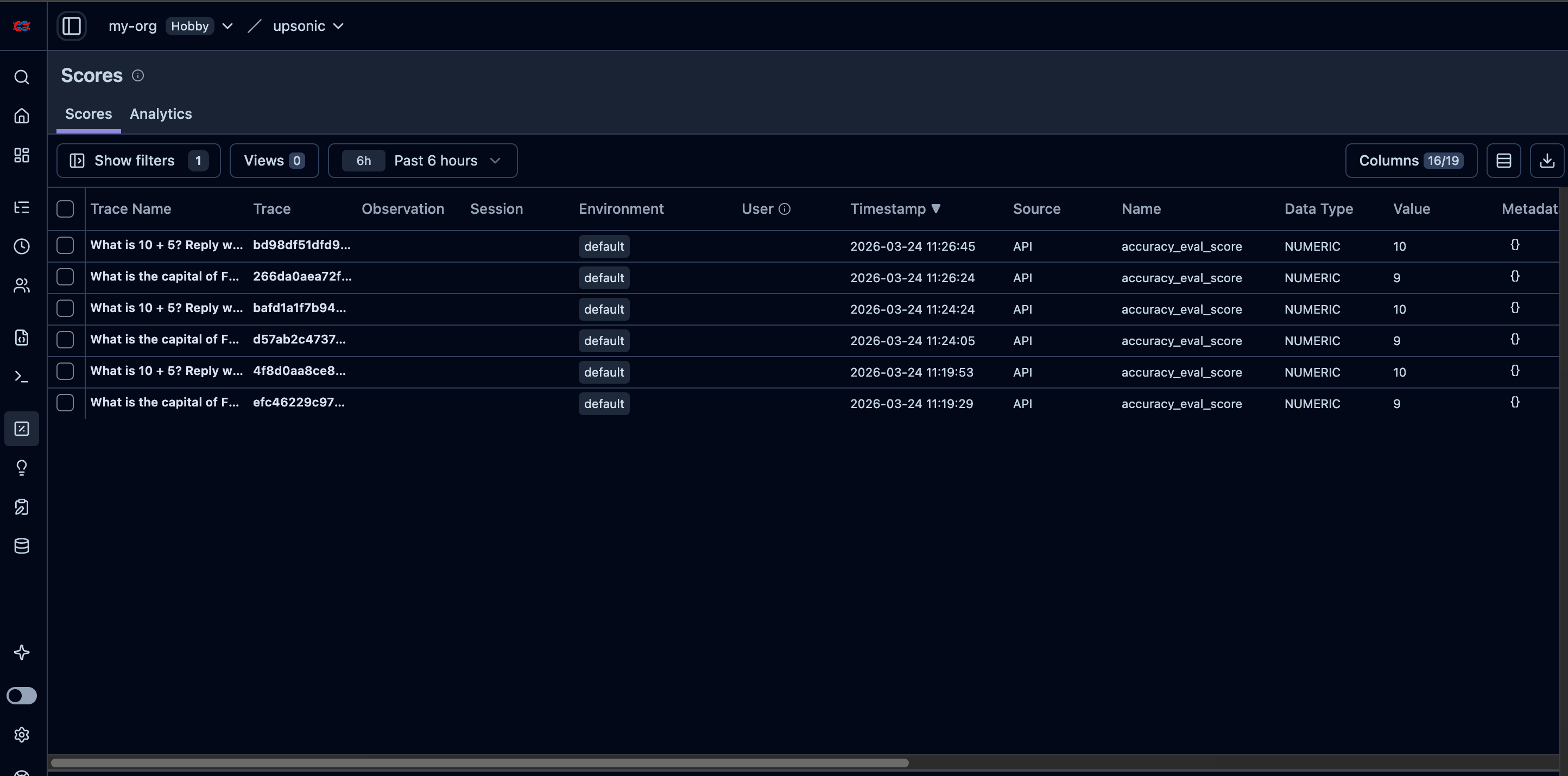
AccuracyEvaluator measures how well your agent’s output matches an expected answer. It uses a separate judge agent to score the agent-under-test on a scale of 0–10. You can run multiple iterations for statistical confidence. When connected to Langfuse, each evaluation is automatically logged as a dataset item, linked to the agent’s trace, and scored — giving you a complete audit trail of your agent’s accuracy over time.
For a deep dive into accuracy evaluation concepts, configuration options, and best practices, see the AccuracyEval Introduction.
AccuracyEvaluator with Langfuse Datasets
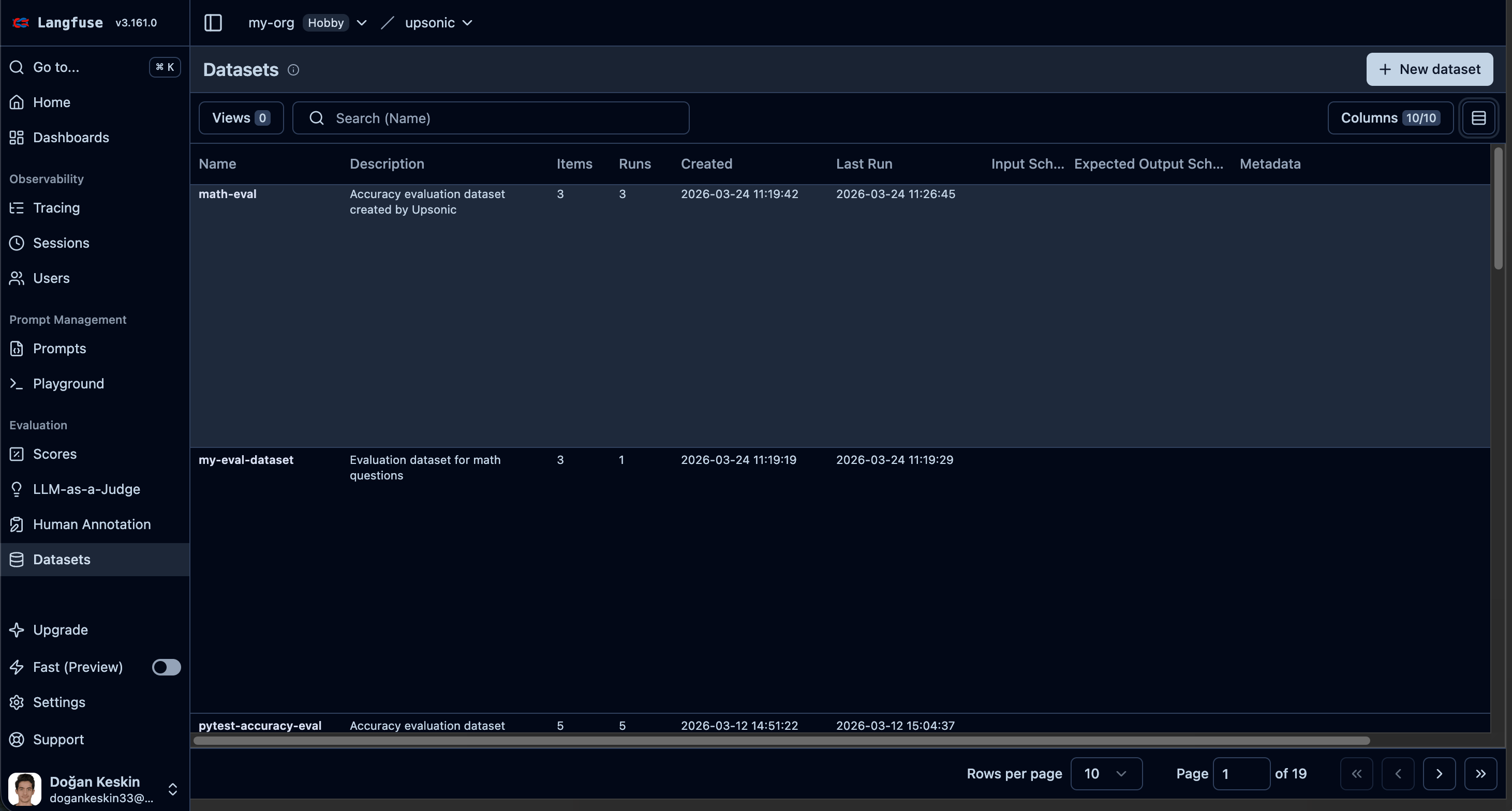
When you pass langfuse to AccuracyEvaluator, evaluation results are automatically:
- Logged as a dataset item
- Linked to the agent’s trace via a dataset run item
- Scored on the trace with the evaluation result
import asyncio
from upsonic import Agent, Task
from upsonic.integrations.langfuse import Langfuse
from upsonic.eval import AccuracyEvaluator
langfuse = Langfuse()
agent = Agent("anthropic/claude-sonnet-4-6", instrument=langfuse)
judge = Agent("anthropic/claude-sonnet-4-6")
evaluator = AccuracyEvaluator(
judge_agent=judge,
agent_under_test=agent,
query="What is the capital of France?",
expected_output="Paris",
langfuse=langfuse,
langfuse_dataset_name="my-eval-dataset", # optional, default: "accuracy-eval"
langfuse_run_name="run-v1", # optional, default: auto-generated
)
result = asyncio.run(evaluator.run())
print(f"Score: {result.average_score}/10")
langfuse.shutdown()
import asyncio
from upsonic import AutonomousAgent, Task
from upsonic.integrations.langfuse import Langfuse
from upsonic.eval import AccuracyEvaluator
langfuse = Langfuse()
agent = AutonomousAgent("anthropic/claude-sonnet-4-6", instrument=langfuse)
judge = AutonomousAgent("anthropic/claude-sonnet-4-6")
evaluator = AccuracyEvaluator(
judge_agent=judge,
agent_under_test=agent,
query="What is the capital of France?",
expected_output="Paris",
langfuse=langfuse,
langfuse_dataset_name="my-eval-dataset", # optional, default: "accuracy-eval"
langfuse_run_name="run-v1", # optional, default: auto-generated
)
result = asyncio.run(evaluator.run())
print(f"Score: {result.average_score}/10")
langfuse.shutdown()
AccuracyEvaluator with Multiple Iterations
Run the same query multiple times to get statistical confidence:
import asyncio
from upsonic import Agent
from upsonic.integrations.langfuse import Langfuse
from upsonic.eval import AccuracyEvaluator
langfuse = Langfuse()
agent = Agent("anthropic/claude-sonnet-4-6", instrument=langfuse)
judge = Agent("anthropic/claude-sonnet-4-6")
evaluator = AccuracyEvaluator(
judge_agent=judge,
agent_under_test=agent,
query="What is 10 + 5? Reply with just the number.",
expected_output="15",
num_iterations=3,
langfuse=langfuse,
langfuse_dataset_name="math-eval",
)
result = asyncio.run(evaluator.run())
print(f"Average score: {result.average_score}/10")
print(f"Iterations: {len(result.evaluation_scores)}")
langfuse.shutdown()
import asyncio
from upsonic import AutonomousAgent
from upsonic.integrations.langfuse import Langfuse
from upsonic.eval import AccuracyEvaluator
langfuse = Langfuse()
agent = AutonomousAgent("anthropic/claude-sonnet-4-6", instrument=langfuse)
judge = AutonomousAgent("anthropic/claude-sonnet-4-6")
evaluator = AccuracyEvaluator(
judge_agent=judge,
agent_under_test=agent,
query="What is 10 + 5? Reply with just the number.",
expected_output="15",
num_iterations=3,
langfuse=langfuse,
langfuse_dataset_name="math-eval",
)
result = asyncio.run(evaluator.run())
print(f"Average score: {result.average_score}/10")
print(f"Iterations: {len(result.evaluation_scores)}")
langfuse.shutdown()
AccuracyEvaluator Parameters
| Parameter | Type | Default | Description |
|---|
langfuse | Langfuse | None | Langfuse instance for dataset logging |
langfuse_dataset_name | str | "accuracy-eval" | Name of the Langfuse dataset to create/use |
langfuse_run_name | str | auto-generated | Name for the dataset run |
num_iterations | int | 1 | Number of times to run the evaluation |
Advanced APIs
For direct access to Langfuse’s scoring, datasets, and annotation queue APIs, see the Advanced guides:
- Scores — Add numeric, boolean, or categorical scores to traces
- Score Configs — Define validation rules for scores
- Datasets — Create datasets, add items, and link traces
- Annotation Queues — Create review queues for human evaluation
- Update Trace — Override trace output or metadata after a run
langfuse.shutdown()
Why call langfuse.shutdown()? Langfuse sends traces via a BatchSpanProcessor that buffers spans and exports them every 5 seconds by default. When you call langfuse.shutdown(), it forces all buffered spans to be flushed to Langfuse before shutting down the provider.By default flush_on_exit=True registers a Python atexit handler that calls shutdown() automatically when the process exits. However, calling it explicitly at the end of your script is recommended for short-lived scripts because atexit handlers can be skipped in edge cases (e.g., SIGKILL, os._exit()).
Parameters Reference
| Parameter | Type | Default | Description |
|---|
public_key | str | env LANGFUSE_PUBLIC_KEY | Langfuse public key |
secret_key | str | env LANGFUSE_SECRET_KEY | Langfuse secret key |
host | str | env LANGFUSE_HOST | Custom host URL |
region | "eu" | "us" | "eu" | Cloud region (ignored if host is set) |
service_name | str | "upsonic" | Service name in traces |
sample_rate | float | 1.0 | Fraction of traces to sample (0.0–1.0) |
include_content | bool | True | Include prompts/responses in traces |
flush_on_exit | bool | True | Auto-flush on process exit |
Environment Variables
| Variable | Description |
|---|
LANGFUSE_PUBLIC_KEY | Langfuse public key (pk-lf-...) |
LANGFUSE_SECRET_KEY | Langfuse secret key (sk-lf-...) |
LANGFUSE_HOST | Custom Langfuse host URL |